Contractors · Handymen · Service pros

Walk the job.
Leave with it signed.

biddl turns a job walkthrough into a branded, itemized proposal in seconds — then gets it e-signed and paid. All from your phone, before you are back in the truck.

14-day free trialNo credit cardiOS & Android

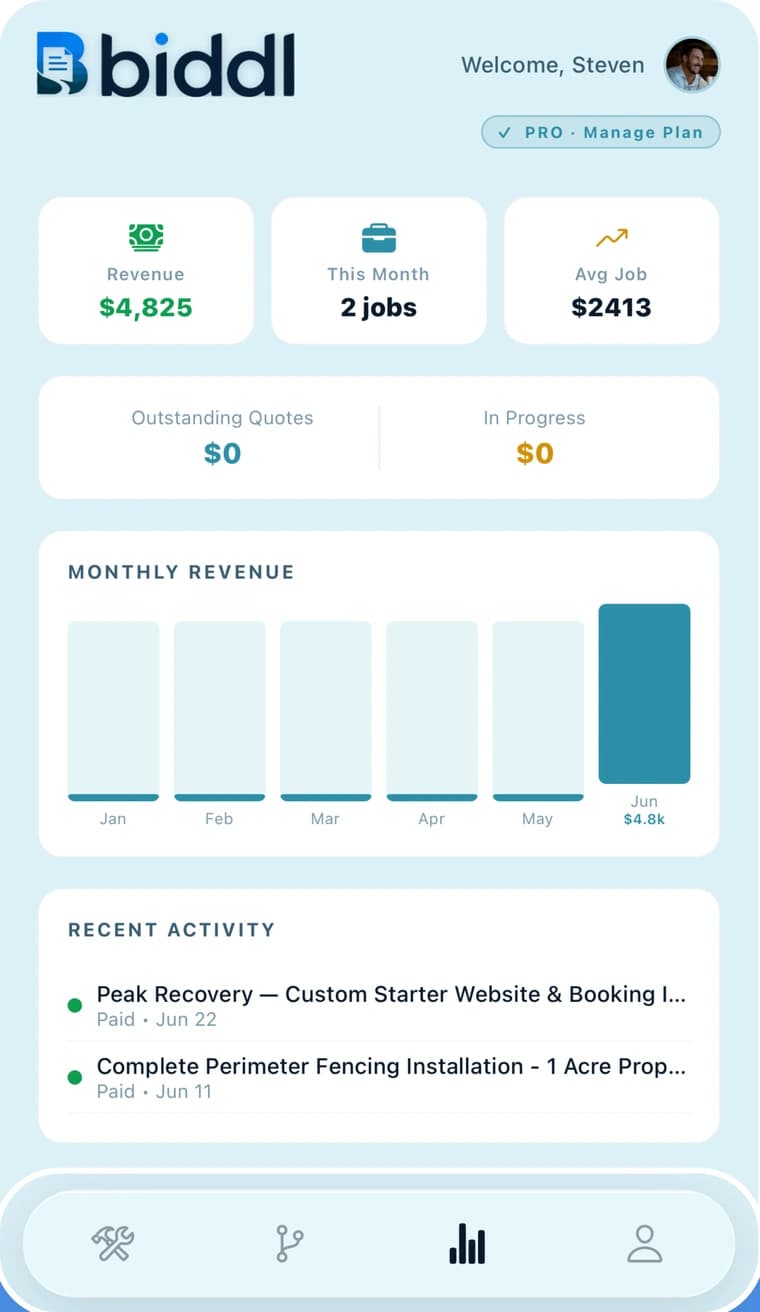
The biddl dashboard showing revenue, jobs this month, average job value, and recent activity.

Approved

Signed by John Smith

Pipeline

$15,000

Job lifecycleQuotedApprovedIn progressCompletedInvoicedPaid

Proposal in seconds

Drafted from the walkthrough you just recorded.

No app for your client

They open a link and sign in any browser.

Cash · check · card

Payment lives inside the same job.

Your prices, your brand

The AI never invents a number.

Four steps, one app

How a job moves through biddl.

The same job travels from the driveway to the bank without ever being retyped into a second tool.

Step 01Capture

Talk it through on site.

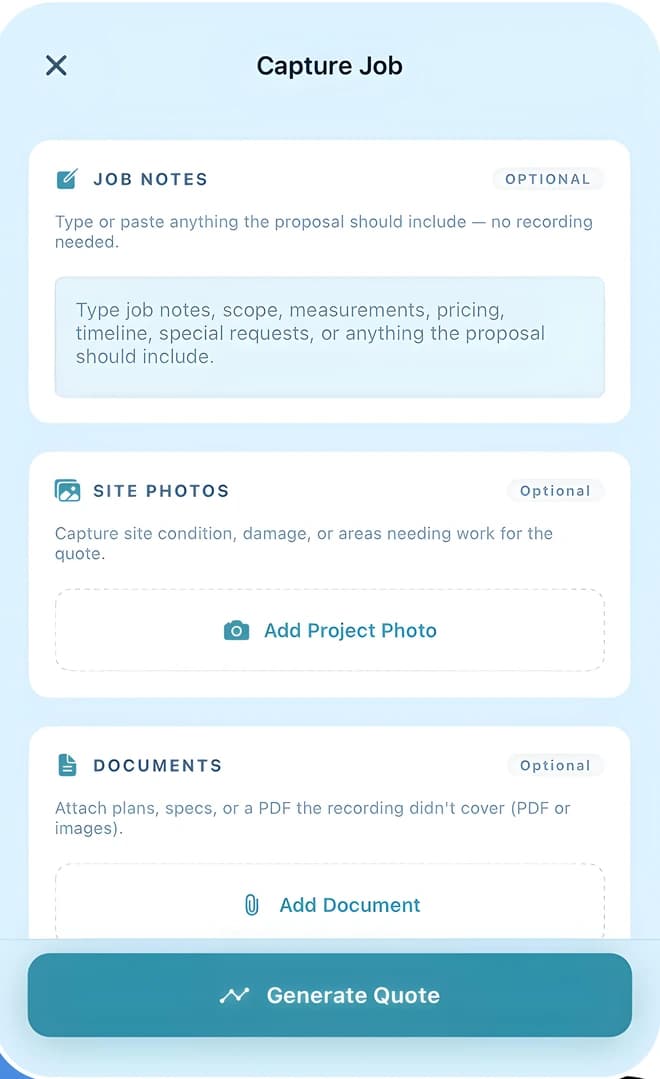
Record the walkthrough as you walk it, snap site photos, attach the plans or a spec PDF. In a hurry or somewhere loud? Type the notes instead. There is no form to fill in.

  • Voice, photos, documents
  • Or typed notes
  • Client details optional
The biddl Capture Job screen with job notes, site photos, and documents.
Step 02Propose

AI writes it. You approve it.

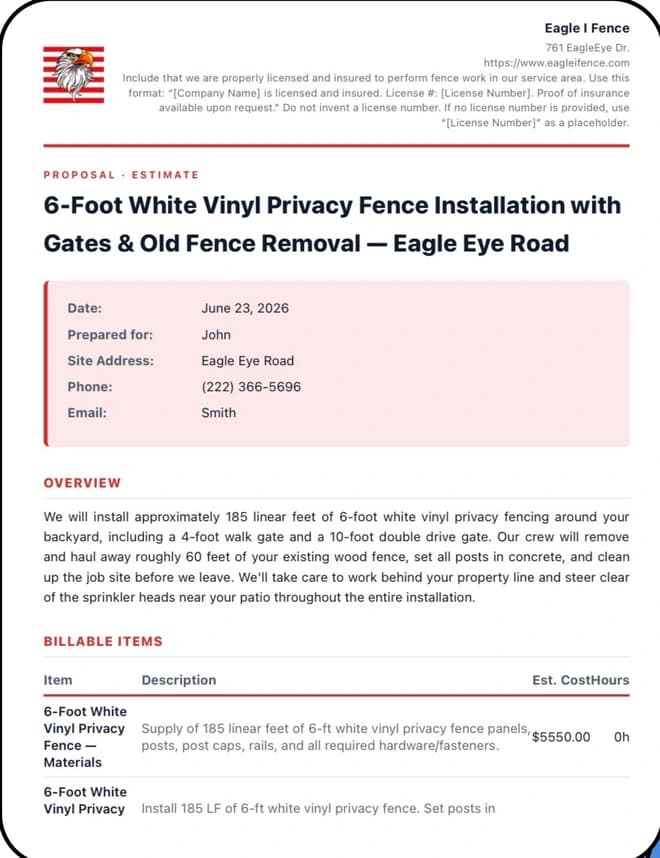
Scope, materials, line-item pricing, timeline, assumptions and exclusions — drafted in seconds from your recording and your saved price book. Every line is editable, and you never face a blank document.

  • Itemized line items
  • Your logo and brand colour
  • Never invents a price
A branded biddl proposal showing overview and billable line items.
Step 03Sign

Text the link. They sign in the browser.

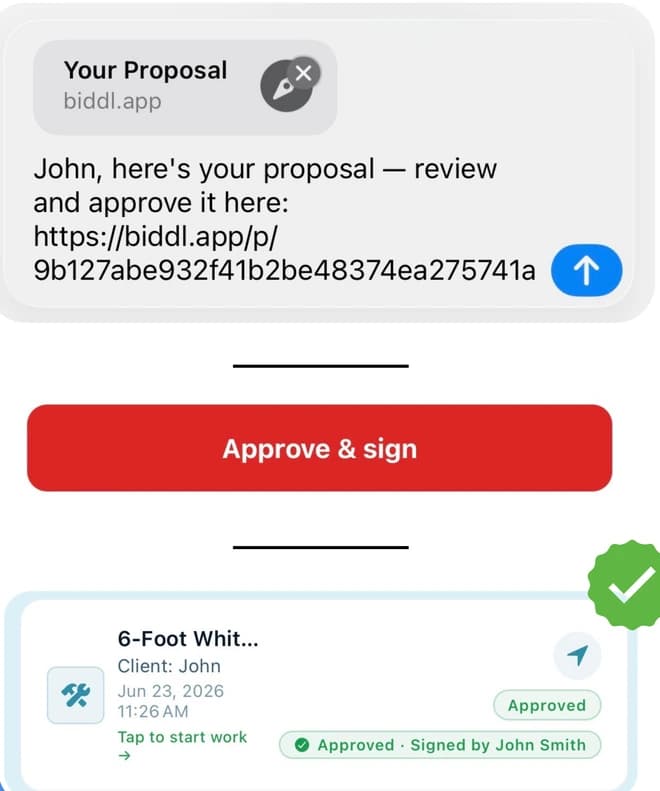
Your client taps a link and reviews the proposal on their phone — no app, no account, no PDF to chase. They approve and e-sign right there, or send back a change request. You watch it move from sent to viewed to approved.

  • Zero-friction for the client
  • E-signature + consent
  • Or request changes
A proposal link sent by text, an approve-and-sign button, and a job marked approved.
Step 04Get paid

Close the job without chasing it.

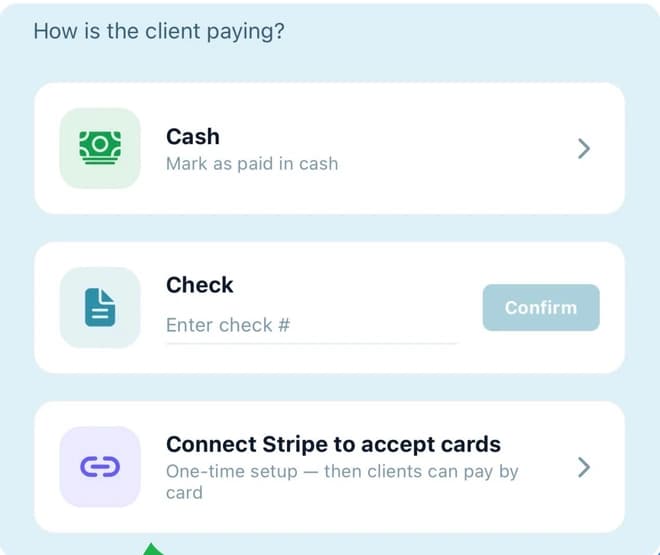
Send the invoice from the same job. Record cash or a check number on the spot, or connect your own Stripe account once and let clients pay by card. Mark it paid and the job closes itself.

  • Cash and check on the spot
  • Cards via your own Stripe
  • Straight into the dashboard
The biddl payment screen offering cash, check, and Stripe card payment.

What your client sees

Your client downloads nothing.

The proposal opens as a web page carrying your logo, business name and brand colour. They read the scope, see the price, and approve it with a typed signature — on the phone that is already in their hand.

  • No account, no downloadOne link. It works in any browser.
  • Approve and e-sign, or ask for changesEither way you see it in the app immediately.
  • The link only ever opens their proposalToken-scoped, and never indexed by search engines.
A biddl proposal link sent by text message, the approve and sign button, and the job showing as approved and signed.

In the box

Everything the job needs, in one app.

Voice to quote

Your walkthrough is transcribed automatically, so the estimate writes itself while you drive.

AI that knows your rates

Proposals are built from your business profile — price book, terms, warranty, brand voice.

Receipt scanning

Photograph a material receipt and its line items land in the job total, tax and all.

Branded documents

Your logo, brand colour, licence and warranty terms on every proposal, invoice and PDF.

E-signature built in

Typed signature with consent and a timestamp, captured on the client’s own phone.

Pipeline board

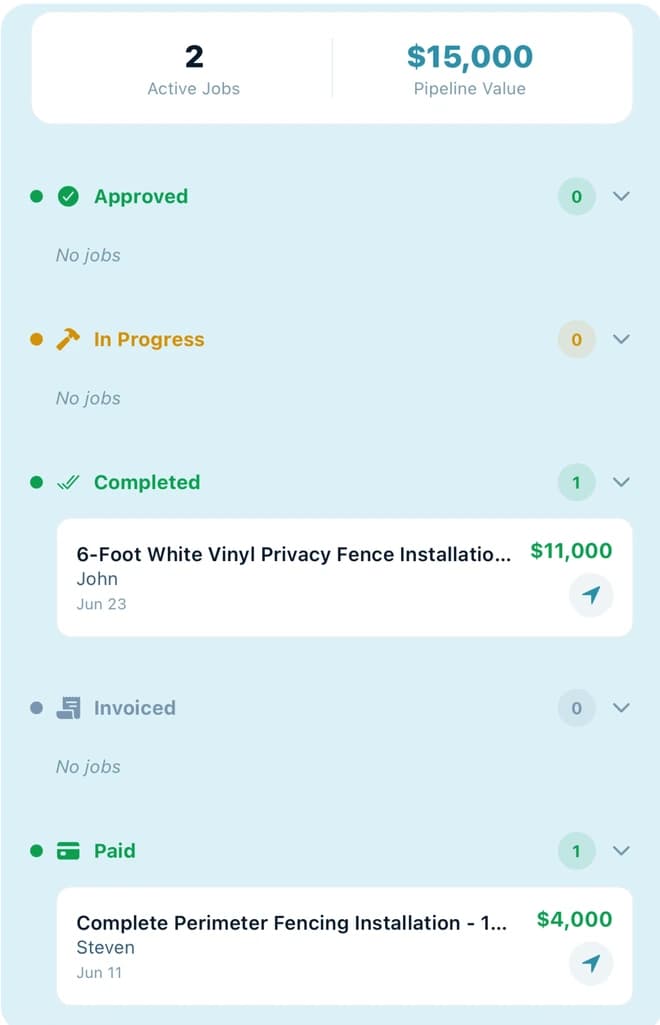
Six stages from quoted to paid, each with a running count and total value.

Revenue dashboard

Revenue, jobs this month, average job value, and a six-month revenue chart.

Client directory

Built automatically from your jobs. Tap a client to start their next quote pre-filled.

Private by default

Recordings and photos are encrypted in transit and at rest. Your data never trains a model.

Built for

  • Fencing
  • HVAC
  • Plumbing
  • Handyman
  • Landscaping
  • Roofing
  • Painting
  • Flooring
  • General contracting
  • …any service business quoting on site
The biddl pipeline board grouping jobs by stage with a running pipeline value.

The whole book of work

Know what is quoted, running, and owed.

Every job sits in a stage with a running total beside it, so the number you are chasing this month is never a guess. The dashboard adds revenue, average job value and a six-month chart; the client directory builds itself out of the work you have already done.

  • Six stages, live totals
  • Revenue and average job
  • Before and after photos
  • Clients built from your jobs

Pricing

One job pays for the year.

Start with 14 days of biddl Pro. No card, and the trial does not convert on its own.

Free trial

14 days

Everything in Pro, from your first job. No credit card, no automatic charge when it ends.

Most popular

biddl Pro · annual

$67.99/ year

Save 19% versus monthly

  • Unlimited AI proposals
  • Priority processing
  • Branded PDF export
  • Receipt scanning
  • Photo gallery and scheduling

biddl Pro · monthly

$6.99/ month

The same Pro features, billed month to month. Cancel any time in your App Store or Google Play account.

Not ready to subscribe? After the trial you keep biddl with 2 AI proposals a month at no cost.

Subscriptions are charged to your Apple or Google account and renew unless auto-renew is turned off at least 24 hours before the period ends. Manage or cancel any time in your store account settings.

Questions

Before you download.

Do I have to record my voice?
No. Recording is the fastest way to capture a job, but every capture field is optional — you can type or paste the notes, add photos and a PDF, and biddl will draft from those instead.
Does my client need the app?
Never. You send a link, they open it in whatever browser is already on their phone, and they can approve and e-sign without creating an account. Re-sending keeps the same link, so one already in their hands keeps working.
Will the AI make up prices?
No — that is a hard rule. It pulls from the price book and terms saved in your business profile, and flags anything it is missing rather than inventing a number. You review and edit every line before it goes out.
How do I get paid?
Cash and check are recorded against the job on the spot. For cards, connect your own Stripe account once and your clients can pay online — the money goes to your account, not ours.
What happens when I lose signal on site?
Keep recording and taking photos — they queue on your phone and upload the moment you are back online. Generating a proposal, sending, and payments all need a connection.
What happens after the free trial?
Nothing is charged automatically — the 14-day trial does not convert on its own. Afterwards you can keep working with 2 AI proposals a month for free, or subscribe to biddl Pro for unlimited. Subscriptions are billed by Apple or Google and can be cancelled any time in your store account settings.

Still stuck? Contact support — we reply within one business day.

Your next quote can be signed by lunchtime.

Download biddl, walk one job, and see the proposal land in your client’s hands before you have left the driveway.

14-day free trial · No credit card · Cancel any time